Choosing Your First Model
Parameter count, quantization, and picking a model that actually matches your hardware instead of just grabbing the biggest name you've heard of.
What parameter count means
Every model name comes with a number - 3B, 7B, 13B, 70B. That's the parameter count, roughly the number of internal values the model tunes during training, in billions. More parameters generally means more capability: better reasoning, more nuance, fewer obvious mistakes.
But parameter count is also the single biggest factor in how much RAM a model needs and how fast it responds. A bigger model isn't just "smarter," it's a direct tradeoff against speed and hardware requirements.
There's no universally correct answer - only the right size for what you're actually running it on.
Quantization, briefly
You'll see model names with tags like Q4 or Q8 attached. That's quantization - a way of compressing the model's internal numbers to take up less memory, at a small cost to precision. Ollama defaults to a reasonable quantization level automatically, so you don't need to think hard about this to get started.
You'll also see the term GGUF around - it's just the file format quantized models are packaged in. Ollama handles this for you automatically when you pull a model, so it's not something you need to manage directly unless you're pulling a model from somewhere other than Ollama's own library.
Reasoning models, briefly
Some models are trained to work through a problem step by step before answering - you'll see these tagged "reasoning" or "thinking," and Open WebUI often shows the reasoning as a collapsible section above the final answer. For genuinely hard problems - multi-step logic, tricky math, debugging a subtle bug - this extra step can meaningfully improve the answer.
For everyday chat, summarizing, or casual questions, it's mostly unnecessary overhead - the model spends extra time "thinking" through something that didn't need it, and you wait longer for the same quality answer a regular model would give. Reach for a reasoning model when the task actually warrants it, not as a default.
The DeepSeek-R1 distills are the model to know here - reasoning capability distilled down into smaller 8B/14B/32B sizes that run on the same hardware as everything else in this guide. They're genuinely strong at math and multi-step logic; they're a poor fit for anything involving tool calling, which wants a structured function call, not a paragraph of reasoning.
Here's what that actually looks like on a real problem - a three-way bill split with tip, run through deepseek-r1:8b in a plain terminal:
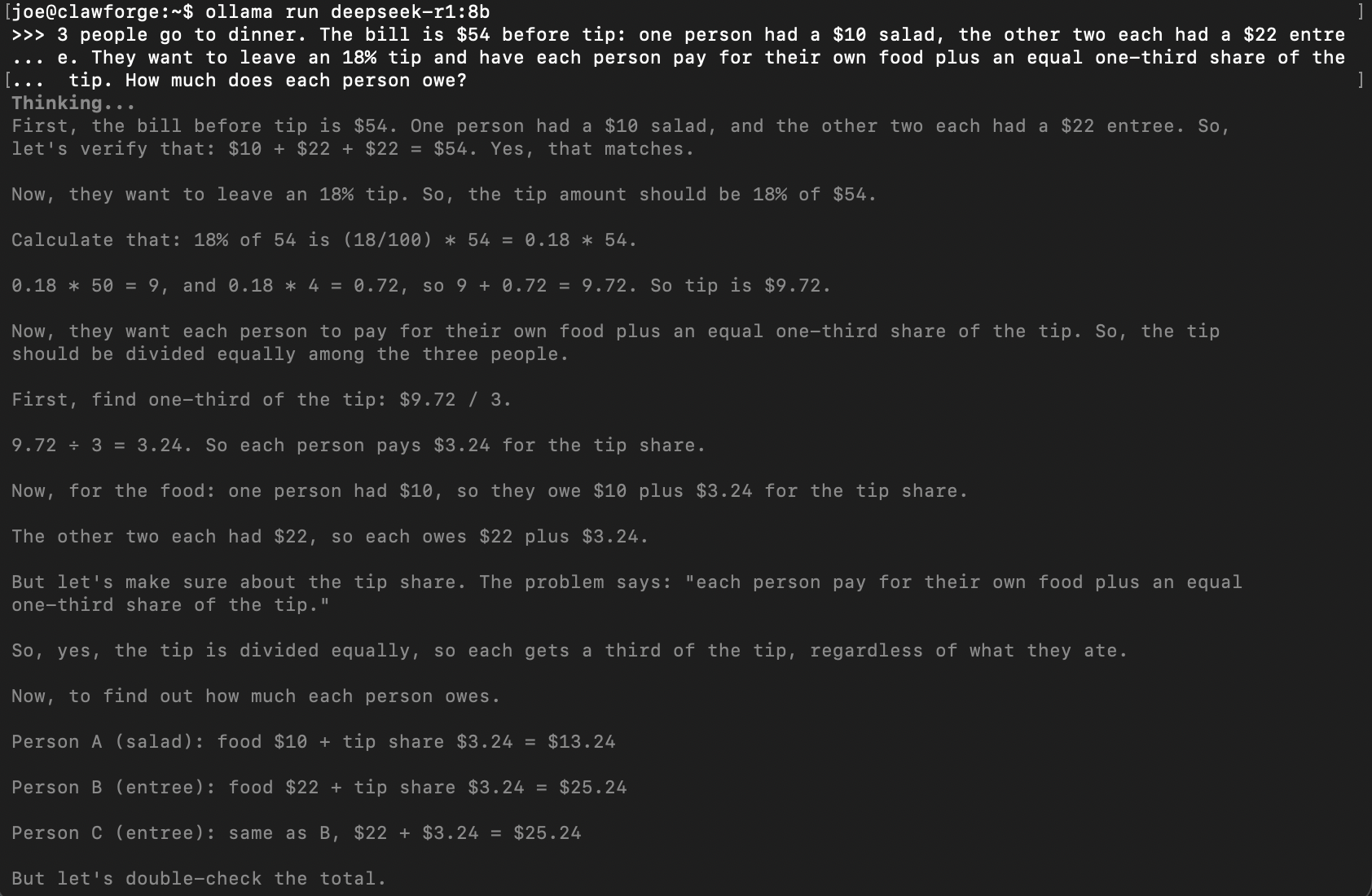
The start of its reasoning - working through the numbers step by step before committing to anything.
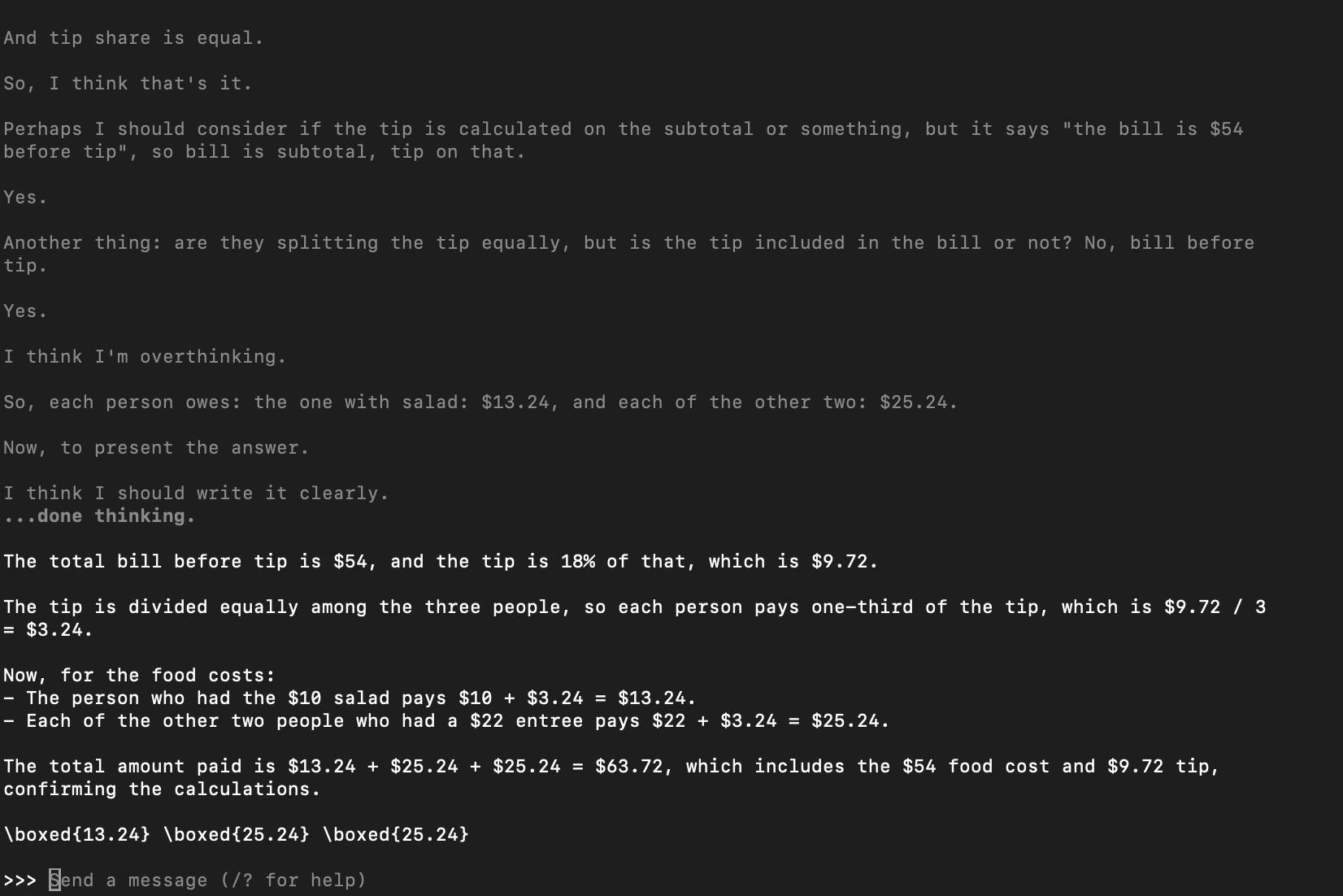
...and here's where it lands, a full screen later - it even catches itself: "I think I'm overthinking." Same correct answer it had several paragraphs earlier.
Vision models
A subset of models can also read images, not just text - tagged "vision" in their name. In Open WebUI, this shows up as the ability to attach a photo or screenshot to your message and ask about it: "what does this error say," "describe this diagram," "what's in this photo."
Not every model supports this, and vision models are somewhat larger for the same parameter count than text-only versions. If you don't have a specific need to ask a model about images, a standard text model is the simpler default - add a vision model later if the need actually comes up.
Why it seems to "forget" things
Every model has a context window - the amount of the current conversation it can actually see and consider at once, measured in tokens (roughly, chunks of a word). Once a conversation grows past that limit, the oldest messages stop being part of what the model considers, even though they're still sitting there in your chat history.
This is what's actually happening when a long conversation seems to lose track of something you mentioned early on - it's not confusion or a bug, the model genuinely can no longer see that part of the conversation. A larger context window pushes that limit further out, at the cost of more RAM and slightly slower responses, since the model has more to process on every single reply.
Actually picking one
The numbers below are system RAM, for the CPU-only setups this site defaults to. If you're following Building a Full PC for Local AI instead, the number that matters for you is VRAM on the graphics card, not this - they're not the same pool of memory, and a guide talking about one doesn't tell you much about the other.
The open model landscape moves fast, and the specific "best" model reshuffles every few months - what doesn't change is that Llama and Qwen are the two families worth defaulting to for general use, with Gemma as a strong third option that also handles images well. All three are widely used, actively maintained, and easy to compare directly:
ollama pull llama3.2
ollama pull qwen3.6
Run the same real question through both and see which one you actually prefer the answers from. Benchmarks are a starting point, not a verdict - your own tasks are the only test that actually matters, and whichever family is "ahead" this month won't stay that way forever.
llama3.2 is still a solid, well-rounded, small-footprint choice - just know it's the conservative pick, not necessarily the strongest one available right now.
What actually goes wrong
You pull a model too big for your RAM and everything grinds to a halt
If responses are extremely slow or the system feels frozen after pulling a new model, it's very likely too large for the RAM available. Check what's installed and remove it if needed:
ollama list
ollama rm <model-name>
Two models with similar names give noticeably different answers
Different quantization levels of the same base model can genuinely behave a little differently, not just run at different speeds. If a specific answer matters a lot, it's worth trying the same prompt on a higher-quantization version before trusting a borderline response.
Common questions
Is a bigger model always a better model?
Can I have more than one model installed at once?
Go deeper
This guide covers one solid path. Here's where to go if you want something different.
Changelog
- 2026-08-31: Replaced a model recommendation that would not actually fit in 32GB of RAM.
Written from hands-on security operations experience. More about this site →