Persistent Instructions With Ollama Modelfiles
Give your local AI a consistent personality and behavior across new chats - not stored memory of past conversations, but instructions that never need repeating.
The problem this solves
By default, every new chat starts from zero.
If you always want responses kept short, or always want the model to answer as if explaining to a beginner, or always want it to avoid a certain tone, you'd normally have to type those instructions again at the start of every conversation.
A Modelfile fixes this by baking a system prompt directly into a custom model. Once it's built, that behavior is just how the model works, every time, without you repeating anything.
Writing a Modelfile
Create a plain text file named Modelfile (no extension) with contents like this:
FROM llama3.2

SYSTEM """
You are a direct, concise assistant. Keep answers short unless
asked to go deeper. Avoid corporate speak and hedging language.
"""
The FROM line points at a base model you already have installed. The SYSTEM block is the instruction that now applies automatically, every time this custom model is used.
ollama show llama3.2 --modelfileSYSTEM block, rather than guessing at the format from scratch.
Here's what that actually looks like, run against a real installed model:
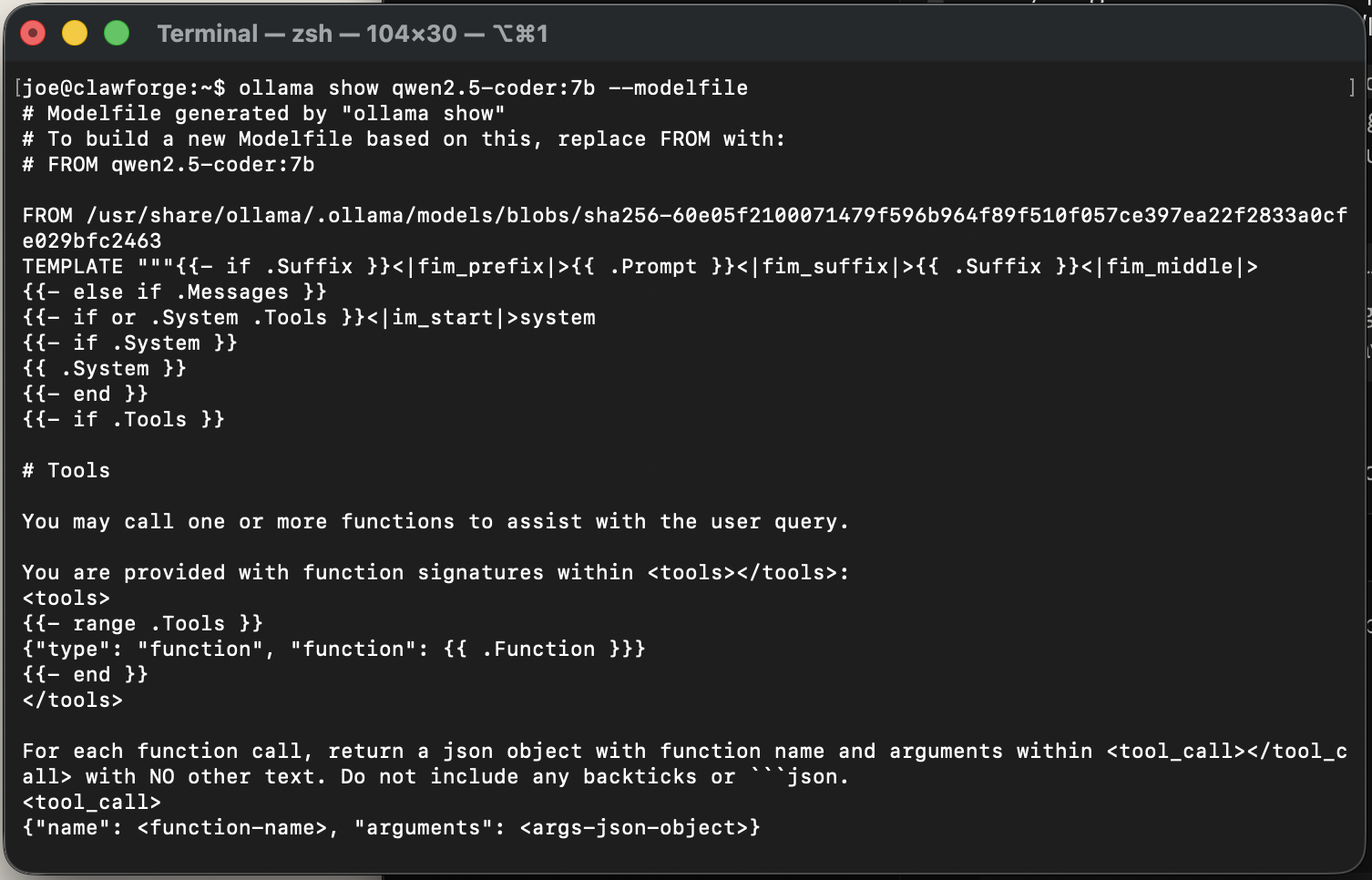
The default Modelfile for an installed model - this is the exact starting point you'd copy and edit, not something you'd write from a blank page.
Tuning behavior beyond the prompt
A Modelfile can do more than set a system prompt. A PARAMETER line adjusts how the model actually generates text - the two worth knowing as a beginner:
FROM llama3.2

SYSTEM """
You are a direct, concise assistant.
"""

PARAMETER temperature 0.3
PARAMETER num_ctx 8192
temperature controls randomness - lower values (like 0.3) give more focused, repeatable answers, useful for a "factual assistant" model. Higher values (like 0.9) give more varied, creative output. num_ctx sets the model's context window - how much conversation history it keeps in memory at once - raising it lets longer conversations stay coherent, at the cost of using more RAM.
FROM llama3.2

SYSTEM """
Answer in one or two sentences unless explicitly asked for more detail.
No preamble, no "great question" - just the answer.
"""

PARAMETER temperature 0.2ollama create quick-answers -f ./Modelfile. Now you have both a default assistant and a terse one, and you switch between them the same way you'd switch between any two models.
Building your custom model
From the same folder as your Modelfile, run:
ollama create my-assistant -f ./ModelfileThat's it - my-assistant now shows up alongside your other models, in Open WebUI's dropdown and in the terminal, and it carries your system prompt automatically.
ollama run my-assistantWhat actually goes wrong
The build command fails immediately
Check that the base model named in the FROM line is actually pulled already:
ollama listIf it's not there, pull it first, then run ollama create again.
The custom model doesn't seem to follow the system prompt
Smaller models are less reliable at consistently following system instructions than larger ones - this is a real model capability limit, not a setup mistake. If a 3B model is ignoring the prompt, the same Modelfile against a 7-8B base model usually behaves noticeably better.
You want to update the prompt later
Edit the Modelfile and run the same ollama create command again with the same name - it overwrites the existing custom model cleanly.
The build fails with a quoting or formatting error
The triple-quote """ block needs to open and close on its own - don't nest additional double quotes inside a SYSTEM block without escaping them. If your prompt needs to reference actual quotation marks, use single quotes inside the block instead of doubles to avoid confusing the parser.
Common questions
Is this the same as RAG?
Does a custom Modelfile use more storage?
Go deeper
This guide covers one solid path. Here's where to go if you want something different.
Changelog
- 2026-08-31: Renamed from "Giving Your AI Memory" to "Persistent Instructions With Ollama Modelfiles" - this is a system prompt baked into a custom model, not stored memory of past conversations.
- 2026-08-31: Tightened the page title to match the more precise headline.
Written from hands-on security operations experience. More about this site →