Automating Tasks with the Ollama API
Ollama isn't just a chat interface backend - it's a REST API you can script against directly, from a shell command or a few lines of Python.
It's just an API
Every guide so far has pointed you at Ollama through something else - Open WebUI's chat window, Continue in VS Code, OpenClaw's Discord bot. Underneath all of them is the same thing: Ollama runs a plain REST API on your machine, and anything that can send an HTTP request can talk to it directly.
That means a shell script, a cron job, or a five-line Python file can all use your local model exactly the same way a chat app does - no separate setup, no new install.
Calling it with curl
The simplest possible call, straight from a terminal:
curl http://localhost:11434/api/generate -d '{
  "model": "llama3.2",
  "prompt": "Summarize this in one sentence: local AI runs entirely on your own hardware.",
  "stream": false
}'
That returns a JSON object with the model's response in a response field, plus some metadata about timing. The "stream": false line matters - without it, Ollama sends the answer back as a series of partial JSON chunks as it's generated, which is great for a live-typing chat window and awkward for a script that just wants one clean answer.
/api/generate takes a single prompt. /api/chat takes a list of messages with roles (system/user/assistant), the same shape Open WebUI uses under the hood - reach for /api/chat once you need conversation history, not just a one-off completion.
Calling it from Python
Ollama publishes an official Python library that wraps the same API:
pip install ollamaimport ollama
response = ollama.generate(model='llama3.2', prompt='Summarize this in one sentence: local AI runs entirely on your own hardware.')
print(response['response'])This is the same request the curl example made, just without hand-building JSON. If you'd rather not add a dependency, plain requests works identically since it's still just HTTP under the hood:
import requests

r = requests.post('http://localhost:11434/api/generate', json={
    'model': 'llama3.2',
    'prompt': 'Summarize this in one sentence: local AI runs entirely on your own hardware.',
    'stream': False
})
print(r.json()['response'])
A real example
A genuinely useful small automation: a script that reads a text file and writes a one-sentence summary of it, runnable on a schedule or whenever you drop a new file somewhere.
import ollama

with open('notes.txt') as f:
    text = f.read()

response = ollama.generate(
    model='llama3.2',
    prompt=f'Summarize this in one sentence:\n\n{text}'
)
print(response['response'])What actually goes wrong
The response is a wall of separate JSON objects, not one clean answer
This means "stream": false got left out (or stream=False in Python). Without it, Ollama streams one JSON object per generated chunk - fine for a live UI, unusable for a script expecting a single response.
Connection refused
Ollama isn't running. Confirm with:
curl http://localhost:11434/api/tags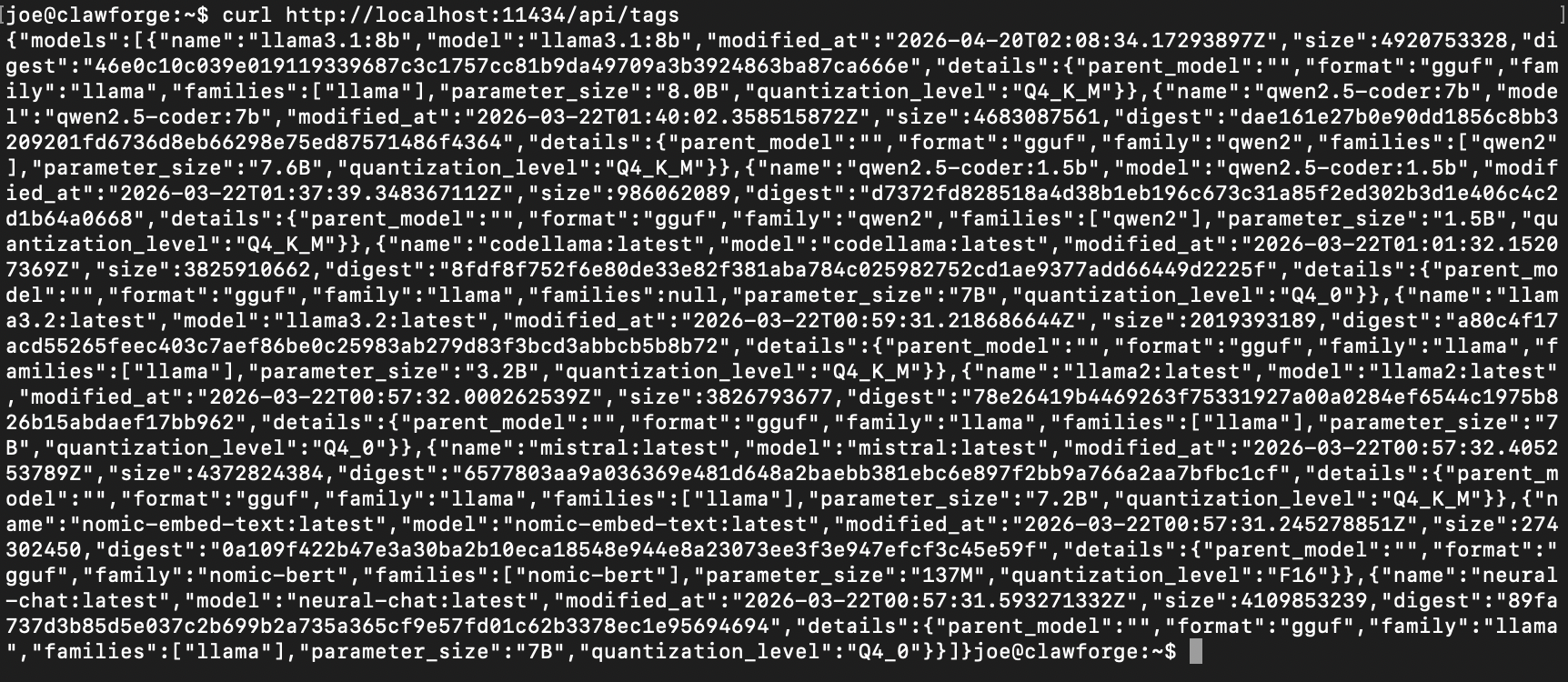
A healthy response - raw JSON listing every installed model. No output at all is the actual sign Ollama isn't running.
If that also fails, start Ollama before troubleshooting the script itself.
The script is slow on the first call, then fine after
Ollama loads a model into memory on first use and keeps it loaded for a few minutes afterward. The first request in a while pays that load time; requests shortly after don't. This is normal behavior, not a bug in your script.
Common questions
Do I need to know how to code to use this?
Is the API only reachable from my own machine?
Go deeper
This guide covers the basics of calling the API directly. Here's where to go if you want something different.
Changelog
- 2026-08-31: Corrected an FAQ answer that inaccurately implied Open WebUI shares Ollama's localhost-only default.
Written from hands-on security operations experience. More about this site →