Setting Up a Mini PC for Local AI
A practical guide to picking and setting up a mini PC that can run local AI models at home, no GPU required.
Why a mini PC, not a cloud subscription or a bigger rig
The obvious alternative is just paying for a cloud AI subscription instead of setting any of this up. That's a fair question, and the honest answer is it depends what you're optimizing for.
A cloud subscription is faster to start and skips picking hardware entirely. But the monthly cost keeps going whether you use it or not, and every prompt you send leaves your machine and lives on someone else's server.
A mini PC costs more upfront and has no model-provider fee for local inference. Keep the setup local-only—without cloud models or remote integrations—if you want prompts to stay on the machine.
The other alternative is a full desktop with a dedicated GPU. That's genuinely faster for larger models, but it costs three to four times as much, draws a lot more power, and most people running 7-8B models for everyday tasks won't notice the difference in practice. A mini PC is where cost, noise, and capability actually line up for a first setup.
Picking hardware
You don't need a gaming rig. A mini PC with a modern CPU and enough RAM will run 7-8B parameter models at a comfortable speed for everyday use - chatting, coding help, summarizing documents.
The two numbers that matter most:
Installing Ollama
This guide assumes a Linux mini PC, which is genuinely the least-friction choice for the always-on, headless setup this site walks through - see Choosing Your OS for Local AI if you're not sure that's the right call for you before buying anything.
Ollama is the easiest way to run local models. It handles downloading, quantization, and serving a simple API - no manual model wrangling required. It's not the only option - see Ollama vs. llama.cpp if you want the honest tradeoff before committing - but it's the right default for getting a working setup today.
curl -fsSL https://ollama.com/install.sh | shOnce installed, confirm it's running:
ollama --versionRunning your first model
Pull and run a small model to confirm everything works end to end:
ollama run llama3.2If you get a response, your mini PC is now a private AI server. No cloud, no API key, no monthly bill.
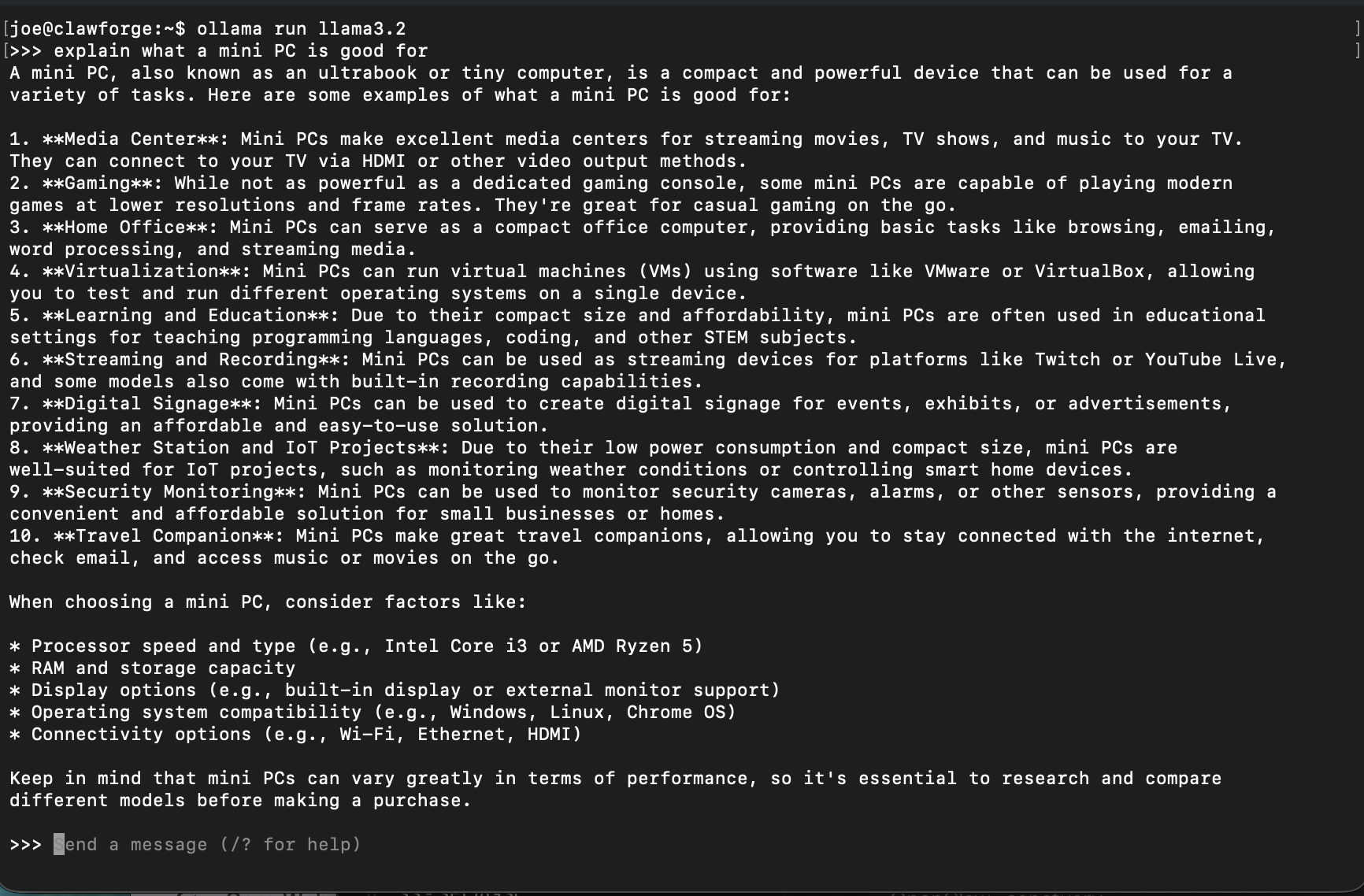
A real first run - no interface yet, just the model responding directly in the terminal.
What actually goes wrong
Every guide shows the happy path. Here's what actually trips people up, based on running this exact setup.
Ollama isn't responding
Check whether the background service is actually running:
ollama ps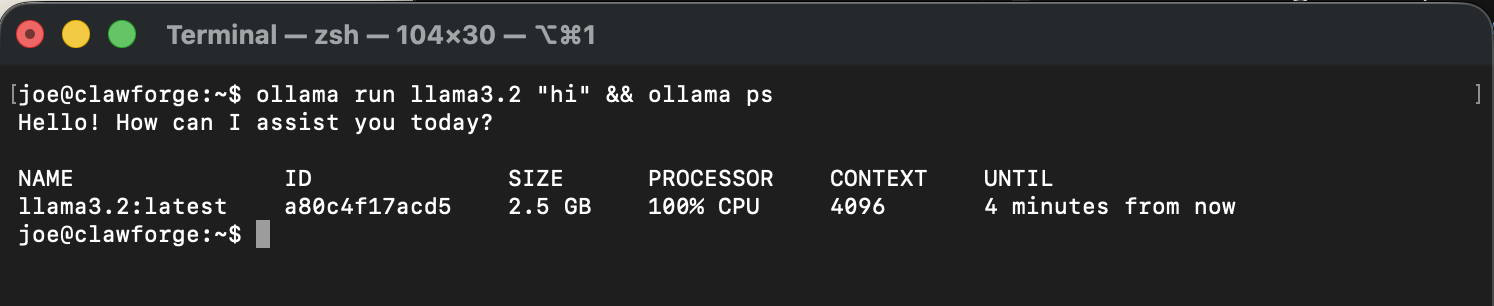
A healthy result - a model actively loaded, running on CPU since this build has no dedicated GPU.
That 100% CPU reading is expected here, not a warning sign - see Is 100% CPU Usage Normal for Ollama? if it looks alarming.
If that comes back empty when you know a model should be loaded, the service likely didn't start. On Linux:
sudo systemctl status ollama
sudo systemctl restart ollama
On Mac, quit and reopen the Ollama app from the menu bar - it runs the background service for you.
A model download stalls partway through
Models run several gigabytes, and a slow or unstable connection can stall the pull. Here's what a normal, healthy download actually looks like - a live percentage, transfer speed, and time remaining, all updating in place:

A healthy pull in progress - if yours looks like this but isn't moving for several minutes, that's when it's actually stalled.
If a pull genuinely does stall, just re-run the same command:
ollama run llama3.2Ollama resumes the download where it left off instead of starting over. If a pull keeps failing at the same spot or the model behaves strangely after finishing, Model Downloads Keep Failing or Coming Out Corrupted covers what to check next.
Responses are painfully slow
This is almost never a CPU problem. It's almost always RAM. If the system is swapping to disk because the model doesn't fit in memory, every response crawls no matter how fast the processor is. Check memory usage (Activity Monitor on Mac, htop on Linux) while a model is running - if it's maxed out with swap climbing, the fix is more RAM or a smaller, more quantized model, not a faster chip. If your specific mini PC supports it, see the RAM pick for what to check before buying a kit - not every mini PC has upgradeable memory. If it's outright crashing rather than just slow, see Ollama Says "Out of Memory".
Common questions
How much RAM do I actually need?
Do I need a GPU for this build?
Go deeper
This guide covers one solid path. Here's where to go if you want something different.
Written from hands-on security operations experience. More about this site →